Pregnant Guide - Baby Tracker
0.0Barn og foreldreOppdatert 7. oktober 2026

Skjermbilder
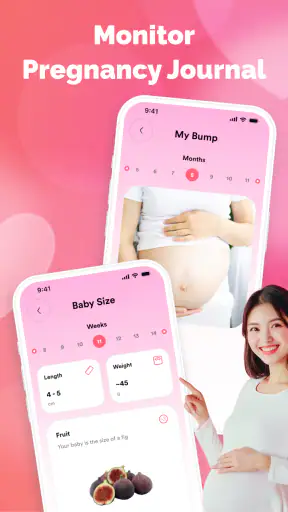
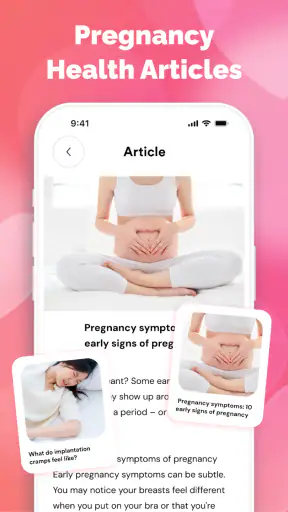
Fordeler
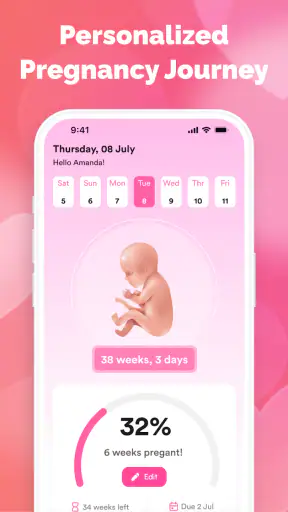
- Gir en enkel oversikt over svangerskapets ulike uker.
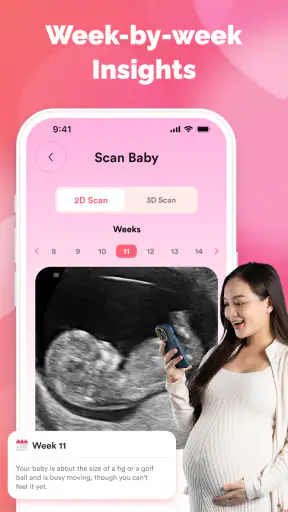
- Babysporingen gjør det lettere å følge utviklingen over tid.
- Nyttig å ha relevant svangerskapsinformasjon samlet på ett sted.
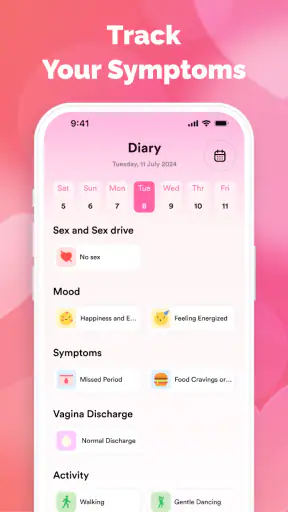
- Kan hjelpe med å holde orden på notater og viktige milepæler.
- Grensesnittet er lett å forstå for førstegangsbrukere.
Ulemper
- Informasjonen kan ikke erstatte råd fra lege eller jordmor.
- Noen funksjoner kan være mindre nyttige etter fødselen.
- Babyens beregnede størrelse og utvikling er kun omtrentlige.
- Appen kan oppleves som lite personlig sammenlignet med individuell veiledning.
- Enkelte funksjoner kan kreve internettilgang eller kjøp i appen.
 Analyse av Mobexer
Pregnancy can make even a simple question feel urgent: which week am I in, and when is the due date? Pregnant Guide - Baby Tracker is aimed at that everyday need. I see it as a lightweight companion for keeping the pregnancy timeline in view, rather than a substitute for prenatal care or a detailed medical reference. That narrower purpose can be genuinely useful, provided you want a quick guide and keep expectations realistic.
A quick reference for the changing weeks
What I would use it for day to day
The app’s focus is pregnancy progress, including the current week and the expected due date. That makes it most relevant when you want to orient yourself without opening a long article or searching through old messages. For example, if a friend asks how far along you are while you’re arranging a weekend visit, a week-by-week tracker can help you find the answer and move on.
I would also use it as a small prompt for conversation: note the current stage, then bring questions to a midwife or doctor. The important distinction is that a tracker can organize dates, but it cannot assess whether a symptom is normal for you. If you are worried about pain, bleeding, reduced movement, or another health concern, contact a qualified professional rather than relying on an app’s timeline.
In the children-and-parenting category, this is a practical, personal kind of tool. It is free, has a PEGI 3 content rating, and is published by SVVN-RU. Its audience is not limited to the pregnant person: a partner or close family member may find a shared reference point useful, as long as the pregnant person remains in control of the information and the conversations around it.
Speed expectations: a focused job, not a medical library
Because the core purpose is easy to understand, I would expect short, occasional visits rather than long sessions. Checking a pregnancy week or revisiting a due date should be a quick task. That is a sensible design goal for this kind of app: if I only need a date, I do not want to sift through unrelated material first.
Still, a focused description does not tell me how quickly every screen opens or how smoothly the app behaves on a particular phone. Performance can vary with device age, available memory, operating-system version, and connection conditions. I would judge it by whether the key timeline information is easy to reach in ordinary use, not by expecting the depth or polish of a full pregnancy-planning platform.
A useful habit is to enter or check the due date carefully at the outset, then verify the displayed week against the dates given by your care team. Pregnancy dating can be adjusted during clinical care, so the app should follow the date you have been advised to use. That simple double-check prevents a neat-looking tracker from becoming the source of confusion.
Siste nytt

WEBTOON viser hvordan tegneserier må tilpasses mobilen

SHEIN gjør netthandel til en vane – men tåler hypen møtet med virkeligheten?

Hvorfor Project Makeover Fortryller Spillere med Stil og Strategi

Mob Control: Arkadespillet som Fanger Mobilspillere

My Talking Tom 2 treffer best når omsorgen får svare

Hvordan 4 Pics 1 Word Speiler Vår Digitale Hverdag
Busy moments and the value of a simple workflow
The most demanding use is not necessarily technical. It is the moment when you are tired, distracted, or trying to answer someone quickly. In that situation, a good tracker earns its place by making the main information easy to spot. I would keep the app’s role narrow: check the timeline, make a note elsewhere if something needs follow-up, and close it rather than turning every passing concern into a search spiral.
One practical trade-off is that a week-by-week view can make pregnancy feel neatly segmented, while real experiences do not change at midnight on a calendar boundary. The week number is a useful orientation point, not a prediction of exactly how you will feel. If a description of a particular stage does not match your experience, that does not mean anything is wrong by itself.
For a partner who wants to be more involved, the tracker can provide a shared starting point for planning a conversation or appointment. But it should not become a way to monitor the pregnant person or press them to match a schedule. I would treat it as a reference the user chooses to consult, not a scorecard for how pregnancy is “supposed” to go.
Reliability means checking the dates, not trusting the label blindly
The most important reliability question for any due-date tracker is whether its starting information reflects the guidance you have received. A calculated date can be helpful for orientation, but clinical dating may change after an appointment. If that happens, update the information you use in the app where possible and compare the result with your care team’s advice.
For that reason, I would not use the app to make medical decisions, time treatment, or decide whether to seek help. A pregnancy tracker is strongest at keeping a calendar-style view in one place. It is much weaker as an authority on individual health, because a general timeline cannot account for medical history, complications, or a clinician’s assessment.
There is also a useful recovery habit: keep essential dates somewhere you already trust, such as an appointment card or personal calendar. That way, if you change phones, reinstall an app, or simply stop using it for a while, you are not dependent on a single tracker to recover an important date. This is a sensible precaution for any pregnancy tool, not a criticism of this one in particular.
Device limits and what the version tells you
The listed minimum operating-system requirement is Android 7.0, so compatibility is the first thing I would check before installing it on an older device. That requirement does not guarantee identical behavior across every phone, and it says nothing by itself about how much storage or battery the app uses. I would avoid assuming that it runs equally well on every supported device until trying it on the phone I plan to keep using.
The current version is 1.0.7. That is useful context when deciding whether to try the app, but a version number alone does not establish how stable it is or how frequently it changes. The sensible approach is to install it, test the central date and week information, and see whether it remains comfortable to use on your own device.
Its reach is notable for a focused tracker: it has over 500,000 installs. That suggests many people have found the app worth trying, but popularity is not proof that it will suit your workflow or that its date calculation matches your clinical guidance. I would weigh that context less heavily than a clear, correct setup and a comfortable experience on your phone.
How it compares with calendars and broader pregnancy apps
A regular calendar is often better for appointments, reminders, and coordinating with other people. It is familiar and flexible, but it does not inherently organize pregnancy into weeks. A more expansive pregnancy app may offer a broader mix of reading, planning, and tracking, which can be preferable if you want one place for many tasks. Pregnant Guide makes more sense when the main thing you want is a straightforward pregnancy timeline.
That distinction also helps identify who should skip it. If you want detailed medical explanations, symptom triage, appointment management, or a comprehensive pregnancy journal, a focused tracker may feel too limited. If you already have a calendar routine that works and only check your due date occasionally, installing another app may add little. On the other hand, someone who repeatedly looks up their current week may appreciate having that reference close at hand.
The app was released on 30 November 2025, and its short store label is “Pregnant Guide.” I would not read those details as a promise of particular content beyond its pregnancy-tracking purpose. The useful test is still practical: does the information you want appear clearly, and does the app fit comfortably into your routine without encouraging you to treat general guidance as personal medical advice?
My performance verdict
Pregnant Guide - Baby Tracker looks most appealing as a small, occasional-use companion: a way to keep the pregnancy week and due date in view without turning the task into a research session. I like that the intended job is easy to grasp, and its free price lowers the barrier to trying it. I would still check the date against professional guidance and keep important appointment details in a separate, dependable place.
My recommendation is conditional rather than universal. If you want a simple timeline reference and your phone meets the Android requirement, it is worth trying. If you need substantial medical education, a robust planning system, or personalized advice, choose a more suitable resource and use a clinician for health questions. In everyday use, the best outcome is modest but useful: less friction when checking where you are in the pregnancy, with no confusion about what an app can and cannot tell you.
Ofte stilte spørsmål
Hva er Pregnant Guide - Baby Tracker, og hva kan jeg bruke appen til?
Pregnant Guide - Baby Tracker er laget for å hjelpe deg med å følge graviditeten og holde oversikt over utviklingen frem mot fødselen. Appen kan samle informasjon om svangerskapet, gi oppdateringer knyttet til hvor langt du er på vei og la deg registrere relevante detaljer. Funksjonene kan variere mellom versjoner, så se gjennom appbeskrivelsen og tilgjengelige valg før du laster den ned.
Hvordan tilpasser jeg appen til min graviditet?
Vanligvis må du oppgi eller velge en dato som appen kan bruke til å beregne hvor langt graviditeten har kommet, for eksempel termindato eller dato for siste menstruasjon. Kontroller at opplysningene er riktige, og oppdater dem dersom du får en ny beregnet termin. Slike beregninger er veiledende; jordmor eller lege kan gi deg medisinsk vurdering og bekrefte svangerskapsdatoene.
Er informasjonen og rådene i appen medisinsk pålitelige?
Appen kan være nyttig som en generell følgesvenn, men bør ikke brukes til å stille diagnoser eller erstatte oppfølging fra helsepersonell. Graviditeter utvikler seg forskjellig, og generell informasjon passer ikke nødvendigvis for alle. Ved symptomer, bekymringer eller spørsmål om behandling og helse bør du kontakte jordmor, lege eller annet kvalifisert helsepersonell, særlig hvis situasjonen virker akutt.
Koster Pregnant Guide - Baby Tracker penger, og trenger jeg internett?
Tilgjengelighet, pris og eventuelle kjøp i appen kan variere etter plattform, land og versjon. Sjekk derfor App Store eller Google Play for oppdaterte opplysninger om kostnader, abonnementer og betalte funksjoner før installasjon. Enkelte deler kan fungere uten nett etter at appen er installert, mens innhold, synkronisering eller annonser kan kreve internettilkobling.
Hvilke personopplysninger lagrer appen, og hvordan beskytter jeg dem?
En graviditetsapp kan be om opplysninger som datoer, helseopplysninger eller personlige notater. Før du registrerer noe sensitivt, bør du lese personvernerklæringen og kontrollere hvilke data som lagres, om de deles med tredjeparter, og hvordan du kan slette kontoen eller informasjonen din. Last helst ned appen fra den offisielle butikken, og bruk enhetens personverninnstillinger for å begrense unødvendige tillatelser.